Park an EV for two weeks at the airport and come home to find it has lost a third of its charge, sitting untouched the whole time. Nothing broke. Nothing is wrong with the battery. The car has been quietly working the entire time it looked like it was doing nothing.
This is “phantom drain,” sometimes called vampire drain: the energy an EV loses while parked and not charging. Every EV has some, and the range between the smallest and largest amount is enormous — enough to turn a two-week trip into a flat 12-volt battery, or cost nothing worth mentioning, depending entirely on a handful of settings almost nobody checks.
The key numbers
- 172 Wh/day — a controlled test of a Tesla with everything off (no Sentry, no connectivity)
- 4–8% of the pack per day — typical Sentry Mode drain on current firmware
- 42x — the gap between the lowest and highest documented drain rates on the same platform
- ~$39 a month — extra electricity cost from Sentry Mode running continuously versus deep sleep
- 1–2 kW — what the AC compressor draws when Cabin Overheat Protection kicks in on a hot day
- One setting — “Exclude Home” geofencing, free, that disables the biggest drain source at the one location the car sits parked most
What the car is actually doing while it looks idle
A parked EV is never fully off in the way a parked petrol car is. Even at its quietest, it periodically wakes to check battery temperature, listen for a phone-as-key signal, respond to an app request, or run scheduled preconditioning. Each wake cycle costs real energy, and how often the car wakes — not how much it draws while briefly awake — is what separates a car that barely drains from one that empties itself in days.
The clearest published baseline comes from Bjørn Nyland’s controlled test of a Tesla Model 3 with everything disabled — Sentry Mode off, mobile access off, nothing running. Over 14 days the car lost 5.4% of its charge: about 172 watt-hours a day. At that rate, a 50%-charged 75 kWh battery would last roughly 54 days before needing attention. That is the floor — the number every other feature on this page adds on top of.
The single biggest lever: Sentry Mode
This is where phantom drain stops being a rounding error and starts being a real cost. Sentry Mode — the camera-based security feature that watches and records around the car — runs current firmware at roughly 4 to 8% of the pack per day, and older reports and less-optimised configurations put it as high as 7.2 kWh in 24 hours, about 9.6% of a 75 kWh pack. One documented pre-2024 measurement found camera video processing alone consuming up to 14% of a Model Y’s battery capacity in a single day before Tesla’s 2024.38.4 update, which cut Sentry Mode’s draw by roughly 40% through better video-processing efficiency.
Put the floor and the ceiling side by side and the gap is stark:
| Configuration | Typical drain | Monthly electricity cost |
|---|---|---|
| Deep sleep, everything off | ~0.17 kWh/day | ~$0.95 |
| Sentry Mode running continuously | ~7.2 kWh/day | ~$39.83 |
That’s a roughly 42-times difference between the two ends of the same platform, and about $467 a year if Sentry ran continuously versus not at all — on electricity spent watching an empty driveway. Most owners running Sentry constantly have no idea the setting is doing this; it doesn’t show up as a line item anywhere, it just shows up as “my car seems to lose range for no reason.”
The free fix almost nobody enables
Sentry Mode exists for a real reason — it genuinely deters and documents vandalism in public car parks, and plenty of owners want it running everywhere. But most drivers do not need their car recording its own driveway every night.
“Exclude Home” geofencing automatically disables Sentry Mode’s cameras at your saved home address while leaving it fully active everywhere else — the car park at work, the street outside a restaurant, anywhere it actually matters. It costs nothing, takes thirty seconds to set in the app, and for anyone who parks at home overnight removes the single largest drain source for the majority of the time the car sits still.
Cabin Overheat Protection: the hot-climate drain nobody budgets for
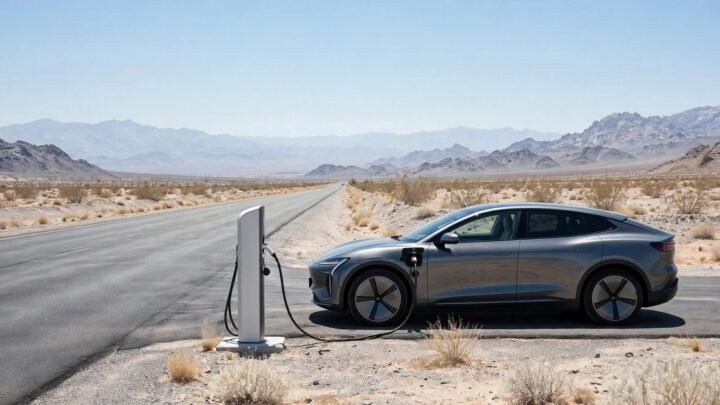
A second feature works differently but hits just as hard in the wrong climate. Cabin Overheat Protection wakes the air-conditioning compressor to keep the interior below a set temperature, typically around 40°C, even while the car is off and parked. A compressor draws 1 to 2 kW when it’s running — on the order of ten to twenty times the deep-sleep baseline — and in a hot climate it can cycle on and off for hours in a single afternoon.
This is a genuinely different failure mode from Sentry Mode: it’s seasonal and location-driven rather than a constant setting. A car parked all summer in a sunny Phoenix car park is fighting a battle Sentry Mode never has to fight, regardless of whether the cameras are on. If you don’t need it — nobody and nothing sensitive is riding in the back seat — it can usually be disabled in the climate settings, trading interior comfort on your return for meaningfully less drain over a hot day.
The quieter drain: apps, widgets, and connectivity
Beyond the big two settings, a whole category of smaller drain comes from the car being pinged awake by things that have nothing to do with security or climate. Every time a phone app checks your car’s status — location, charge level, climate state — over the cellular or wifi connection, it can wake the vehicle’s onboard computer from sleep. A home-screen widget checked casually a dozen times a day does the same thing a dozen times.
None of these wake-ups cost much individually. The problem is that they are cumulative and constant, in a way Sentry Mode’s single large draw is not. A car with several polling apps installed, a widget on the home screen, and background data sharing enabled can sit noticeably lower on charge after a week than an identical car with none of that running, even with Sentry off the entire time.
Fixes here are free and mostly a matter of knowing where to look:
- Stick to one well-behaved app rather than several checking the car independently.
- Remove or disable home-screen widgets that refresh automatically — a widget glanced at is a wake-up triggered.
- Turn off data sharing in the settings menu if you don’t need the telemetry features it enables.
- Check third-party monitoring tools’ polling frequency — some offer a lower-frequency or “direct telemetry” mode specifically designed to reduce how often they wake the car.
This isn’t a Tesla-only problem, even though the data mostly is
Worth being honest about a gap in what’s actually measurable here: almost all of the granular, kWh-level phantom drain data available comes from Tesla’s ecosystem, because a large, motivated owner community runs tools like Scan My Tesla and TeslaMate that log battery state continuously and compare notes. That data density does not mean other brands drain less — it means nobody has built the same measurement culture around them yet.
The underlying causes are universal to any EV with connectivity, telematics and thermal management: periodic wake cycles, remote-app polling, and battery conditioning all draw from the pack whether the badge on the boot says Tesla, Ford, Hyundai or GM. If your EV supports remote preconditioning, scheduled departure, or an always-on companion app, it has some version of this drain — you simply may not have a community-built tool telling you the exact number.
Why this matters more than it seems to
For someone who drives and charges daily, phantom drain is close to invisible — the car tops back up overnight regardless of what it lost the day before. It matters in two specific situations, and both are worth planning around rather than discovering the hard way.
Extended parking without charging. Airport trips, long hospital stays, seasonal storage, a car left at a second home. This is exactly where the gap between 172 Wh a day and 7+ kWh a day stops being academic — the first leaves a fortnight-long trip barely dented, the second can leave a battery meaningfully depleted and, if it runs low enough for long enough, puts real stress on the separate 12-volt system that keeps the traction battery’s contactors closed. Our 12-volt battery guide covers that connection in detail — the same app-polling and connectivity habits that drive phantom drain on the main pack are also named there as a factor in 12-volt battery failure, because both draw from the same always-on electrical system. If phantom drain leaves you stranded with a dead car, here is what an EV flatbed tow costs.
No home charging. If your EV sits on the street or in a shared car park rather than plugged in overnight, phantom drain is competing directly against your usable range rather than being invisibly topped up. Our guide to owning an EV without home charging covers this situation more broadly, and disabling unnecessary drain sources matters considerably more if you’re in it.
Parked losses are only half the story — highway speed eats EV range through aerodynamic drag.
What to do before leaving your EV parked for a while
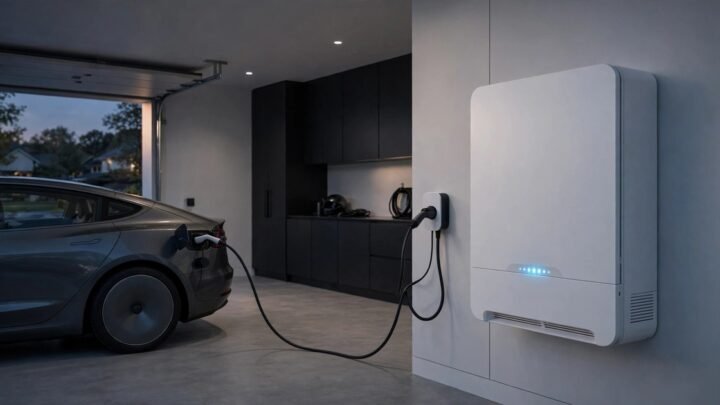
- Plug it in if you possibly can. Even a standard household socket left connected means phantom drain pulls from the grid instead of the battery, and the car simply tops itself back up. This alone solves the problem for most situations.
- Enable “Exclude Home” or the equivalent geofencing feature if you’re leaving the car at a known, secure address.
- Turn off Sentry Mode or your car’s equivalent security-camera feature entirely if the location is genuinely secure and you don’t need the coverage.
- Disable Cabin Overheat Protection for the duration if nothing temperature-sensitive is left in the car and you’re leaving it somewhere hot.
- Close unused monitoring apps and remove home-screen widgets before a long trip.
- Don’t leave it below about 20% charge for an extended absence — give phantom drain some room to work before it starts eating into the reserve you’d want for the drive home.
Frequently asked questions
How much range does an EV lose sitting parked?
It varies enormously by settings. With everything disabled, a controlled test found about 172 Wh a day — roughly 5% over two weeks. With continuous Sentry Mode or equivalent camera security running, that can rise to 4–8% of the pack per day, a difference of 40 times or more between the two extremes.
What causes phantom drain?
Periodic wake cycles for battery temperature checks and connectivity, camera-based security modes, cabin temperature protection in hot weather, and remote app polling that wakes the car’s computer from sleep. Each is individually small; running several together compounds fast.
Does Sentry Mode really use that much power?
Yes. Current firmware runs roughly 4–8% of the battery per day with it on continuously, and it has historically been the single largest phantom-drain source on Tesla vehicles. A free geofencing setting can disable it automatically at your home address while leaving it active everywhere else.
Will phantom drain kill my 12-volt battery?
Not directly — they’re different systems — but the same causes overlap. Frequent app polling and always-on connectivity features that drive phantom drain on the main pack are also a documented contributor to 12-volt battery strain, since both draw from the same electrical system while the car is parked.
Should I leave my EV plugged in when I’m not using it?
For extended periods, yes. Plugged in, phantom drain pulls from the grid and the car maintains its charge automatically. Unplugged, every watt lost comes straight out of the battery you’ll want for your next drive.
Is phantom drain the same on every EV brand?
The underlying causes are universal — connectivity, thermal management, remote features — but most of the detailed, measured data available publicly comes from Tesla’s owner community, which has built extensive monitoring tools. That reflects measurement culture more than it proves other brands drain less.
How do I check my own car’s drain rate?
Note the displayed range or state of charge before leaving it parked and unplugged for a known period, then check again on return. A day or two is usually enough to spot an unusually high rate; a week gives a more reliable daily average.
The short version
A parked EV with everything switched off loses only a trickle of charge — a controlled test found about 172 watt-hours a day, enough to sit for nearly two months on a half-full battery. Turn on continuous Sentry Mode or equivalent camera security and that can jump to 4–8% of the pack daily, a difference of 40 times or more, worth roughly $39 a month if left running constantly. The single highest-leverage fix costs nothing: enable geofencing to disable camera security at your home address, where the car spends most of its parked time anyway. After that, watch cabin overheat protection in hot climates, trim back app polling and widgets, and plug in whenever a car will sit for more than a few days — the grid should be paying for the drain, not the battery.